
Sealva - VDS Validator
Sealva verifies Visible Digital Seals (VDS) on travel, identity and residence documents as well as on administrative documents. The app reads the seal with the camera, shows the signed data of the document and verifies the issuer's signature cryptographically. Verification runs on the device and also works offline.
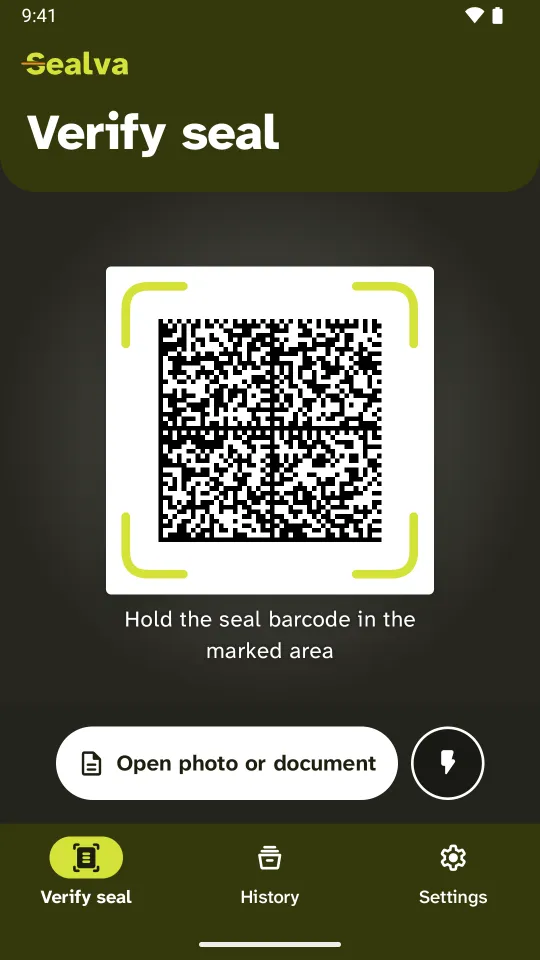
Point the camera at the seal or open a photo or PDF
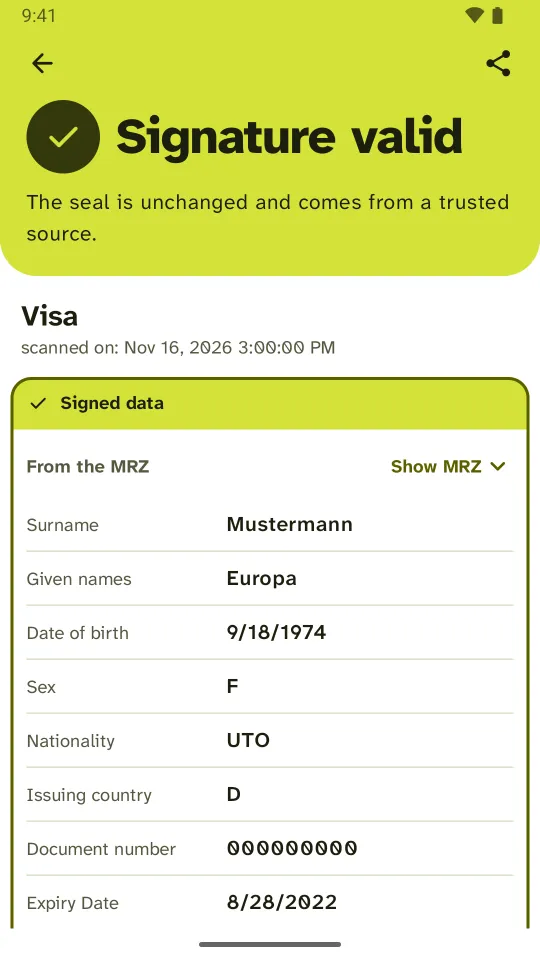
Sealva verifies the signature and shows the signed data
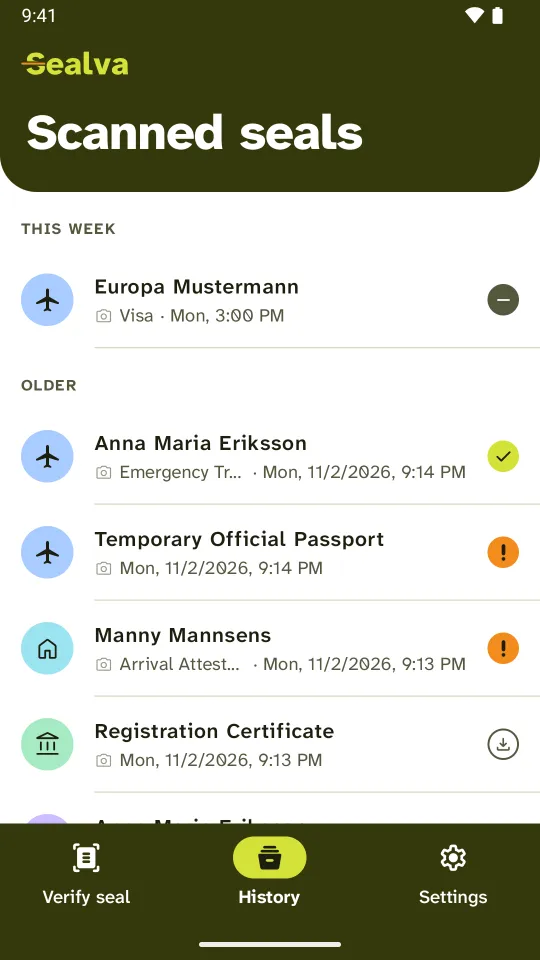
Verified seals stay in the history on your device
What is a digital seal?
A digital seal is a Data Matrix or QR code that contains the key data of a document and is signed by its issuer. Verifying the signature and comparing the data with the document reveals forged or altered information.
Sealva is made for people who check documents in public authorities and companies, for developers who create or process digital seals, and for anyone who wants to know what data the seal on their own document contains.
Which documents?
Sealva reads seals such as these:
- Address stickers on passports and identity cards
- Visas
- Administrative documents, such as certificates from public authorities, provided the issuer publishes the description of its document
The settings list every document type Sealva knows under “Verification data”.
What the result means
The result page shows one of four results at the top. Where needed, a sentence below explains why.
- Signature valid: The seal is unaltered and comes from a trusted issuer.
- Valid with a notice: The signature is genuine, but something limits the result, for example an expired document or certificate or a seal with a faulty structure.
- Invalid: The signature does not match the data, or the issuer's certificate has been revoked. Do not rely on the displayed data.
- Not verifiable: Sealva cannot verify the signature, for example because the issuer's certificate is missing or the seal carries no signature.
Important: Sealva verifies the signature of the seal, not the document itself. Always compare the displayed data with the document, such as the name, date of birth and document number.
Seals from photos and PDFs
Besides the camera, Sealva also reads seals from photos and PDF files: via “Open photo or document” in the app or via “Share” from another app, such as your mail app. If a file contains several seals, you pick the one you want.
Works offline
Verification runs entirely on your device. The required certificates are included in the app and updated in the background. Only for some administrative documents does Sealva download the issuer's data the first time. In the settings, “Verification data” shows whether everything is up to date.
History and sharing
- Verified seals stay in the history on your device, grouped by day and with the result of each entry. A colored symbol shows the kind of document.
- You decide what is stored: hide names in the history, delete entries automatically after 30, 90 or 365 days, or turn saving off entirely.
- Share a verification report, export seals as a file and open them in Sealva again.
Privacy
Personal data from the seals never leaves your device. Sealva only downloads certificates, document profiles and place directories. There are no ads, no tracking and no account.
Sealva is an independent project and not an official app of any public authority. The app is available in German and English.
Download
The app is available for free:
Since 2016
Sealva has been in development for more than ten years. The German Federal Office for Information Security (BSI) features the app on its page about digital seals (in German). Verification of administrative documents according to BSI TR-03171 started there as a prototype extension. Today it is a core part of the app.
Customized version
For public authorities and companies, Sealva can be customized on request, for example to their own certificates, document types or branding. Get in touch.
Technical background
Sealva reads seals according to ICAO 9303-13 (VDS), ICAO Datastructure for Barcode (IDB), BSI TR-03137-1 and BSI TR-03171. The seals are parsed and decoded by the open source Kotlin Multiplatform library VdsTools.
Certificates and trust anchors
- Sovereign documents are verified against the German Country Signing CA (CSCA) and the document signer certificates published by the BSI.
- Administrative documents are verified against trust anchors: the certification authorities for qualified electronic seals from the German trusted list of the Bundesnetzagentur, which is part of the EU trusted lists. The result names the organization that issued the seal. Sealva does not decide who may issue administrative documents, so check whether this organization is the authority you expect.
- The certificates for sovereign documents and the trust anchors for administrative documents are included in the app and updated in the background. Signer certificates and profiles of administrative documents are loaded on demand, provided the issuer publishes them.
- For sovereign documents, you can add your own certificate sets via QR code, for example from a test PKI. Results verified with such a set name it.
Technical details
- Hex view with a tree of all fields, traceable byte by byte
- “Structure of the seal” reports missing mandatory fields, unreadable values and wrong lengths
- Signature details, certificate chains and trust anchors
- Overview of all readable document types with their fields